


你是否因为一张证件照而烦恼?面试在即,却发现没有一张像样的职业照片;简历更新,想要换上更具专业感的头像,苦于没有时间或预算,更扎心的是,打开某点评搜 “职业写真馆”,好家伙,最便宜的套餐 199 元起,稍微讲究点的直接飙到三四百 —— 为了一张简历上的小头像花半个月奶茶钱?打工人表示:钱包在疯狂说 “达咩”!。
今天,我们将用2025年爆火的Nano Banana教你如何轻松制作出媲美专业摄影师的职业证件照。Nano Banana 的最大优势之一是完全免费。它基于开源项目,旨在让更多人能够接触和使用AI生成技术,无需支付高昂的订阅费或单次生成费用。点下生成键,等待几秒,堪比专业摄影师精修的职业证件照就搞定了!不满意?那就再来一次,反正免费,直到调出让自己眼前一亮的 “职场人设图”。
用 Nano Banana AI 生成职业证件照实战:
步骤一:准备你的照片 首先,你需要准备一张清晰的正面生活照。光线均匀、背景干净的照片效果更佳,这是确保输出人像与你本人长相高度一致的关键。
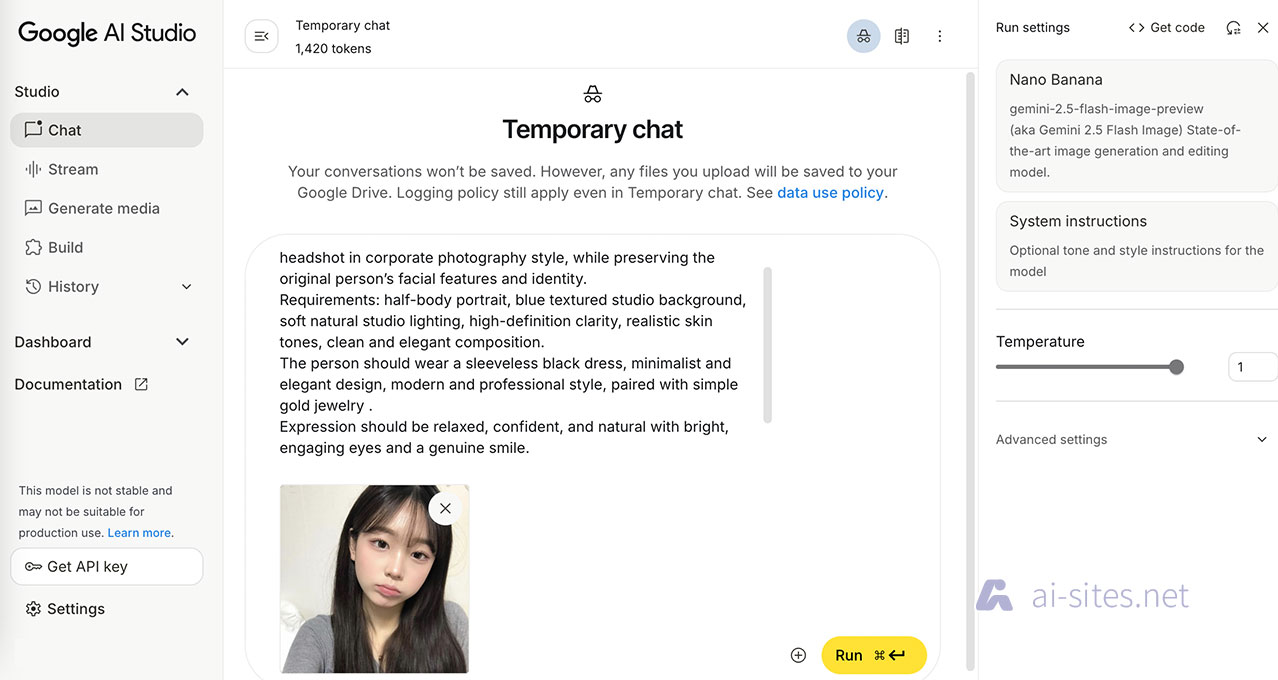
步骤二:输入 Prompt(提示词) Prompt 是指引AI生成图像的关键。对于职业证件照,你需要输入一些关键描述词,以确保生成效果专业且自然。下面这个提示词,是我个人研究出来的,它可以生成同一个风格、四个角度的专业职业形象。
Convert the uploaded portrait into an American-style professional headshot in corporate photography style, while preserving the original person’s facial features and identity. Requirements: half-body portrait, blue textured studio background, soft natural studio lighting, high-definition clarity, realistic skin tones, clean and elegant composition. The person should wear a sleeveless black dress, minimalist and elegant design, modern and professional style, paired with simple gold jewelry. Expression should be relaxed, confident, and natural with bright, engaging eyes and a genuine smile. Keep sharp focus on the face, with a slightly blurred background for depth, overall polished and professional. Include three angle variations: front-facing with direct eye contact and confident smile, slight left-facing with natural, approachable expression and hands gently folded in front, and slight right-facing with warm, professional smile with arms crossed in a confident executive style. Additionally, include one variation with a thoughtful professional pose, with one hand gently touching the chin or arm. Ensure consistent lighting, outfit, background, and facial identity across all angles and poses, maintaining realistic skin tones and corporate photography style.
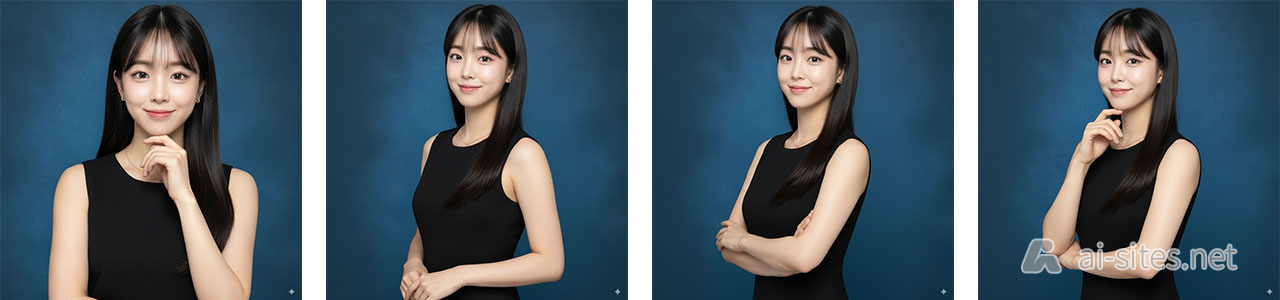
点击生成: 等待几秒钟,AI就会为你生成4张美丽的的职业证件照。怎么样!是不是很惊艳,完全不逊色于专业摄影师!
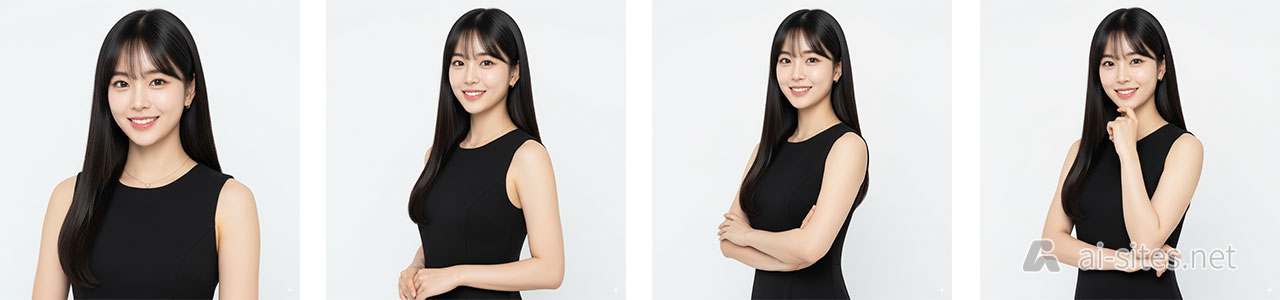
小技巧: 如果生成的图像不满意,可以尝试更换参考图或调整 Prompt 中的描述词。例如,如果想让背景更简洁,可以把提示词中的背景描述“blue textured studio background,”修改为“simple solid white color background,”。重新传照片,输入提示词,生成。立马又出来了,是不是很神奇!
进阶技巧与应用场景
- 调整细节: 如果你对某个细节不满意(如头发、眼睛),还可以在 Prompt 中加入更具体的描述词,如
neat hairstyle或bright eyes。
通过上面的教程,你是不是已经掌握了使用 Nano Banana 制作专业证件照的核心技巧。它不仅是制作职业证件照的绝佳工具,更是一个能帮你节省时间和金钱的利器。你最希望用 Nano Banana 制作哪种风格的职业照?在评论区分享你的使用体验或遇到的问题吧,让我们一起探索更多AI图像生成的可能性!如果你觉得这篇文章对你有帮助,不妨分享给身边的朋友和同事,让更多人摆脱证件照的烦恼!
相关文章
